 pyxpo
pyxpoWeb Browser
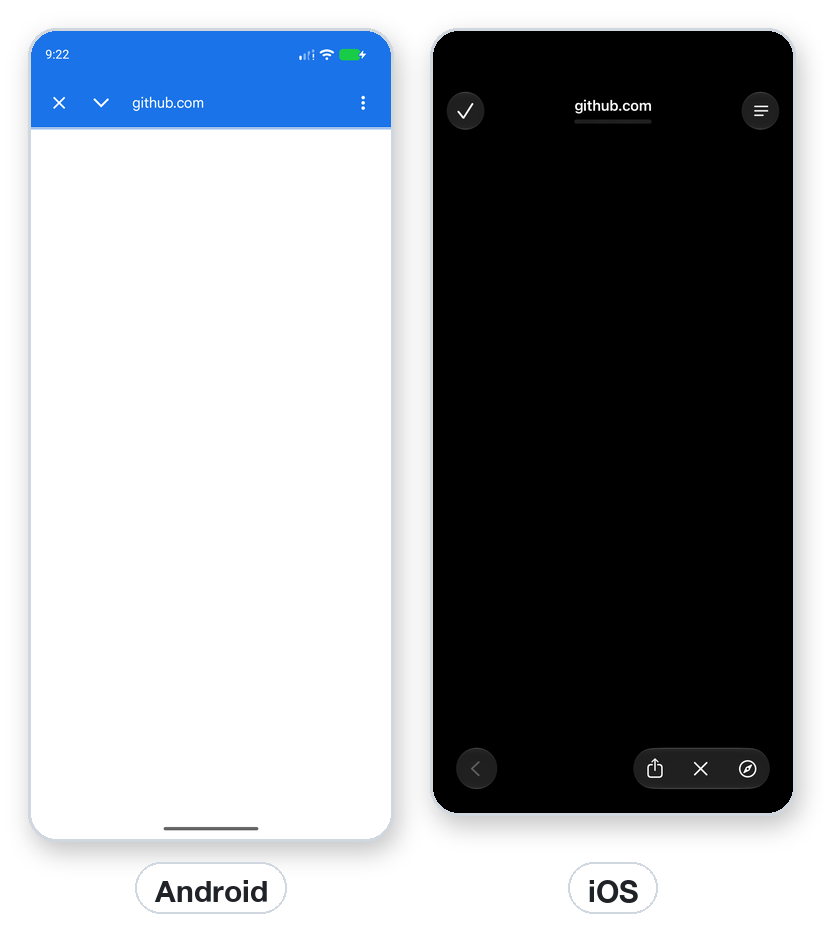
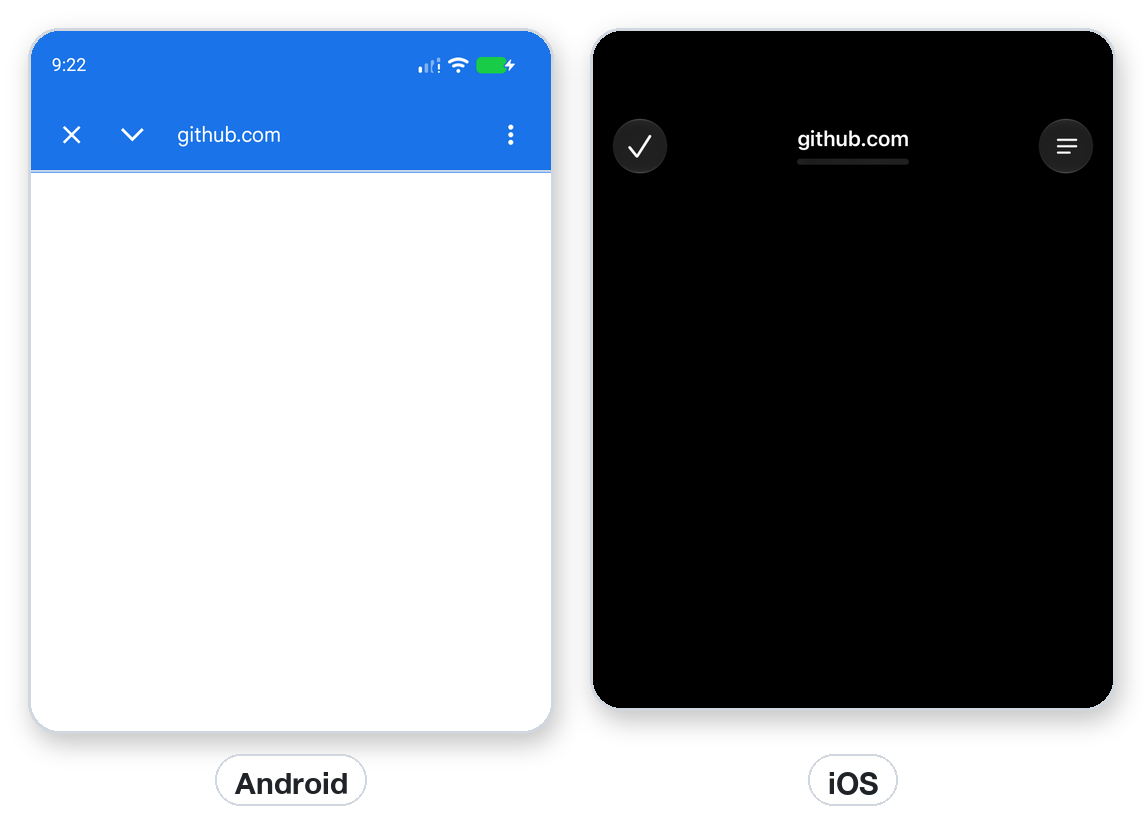
Open any http or https page in the system's in-app browser (Custom Tabs on Android, SFSafariViewController on iOS) with your toolbar colors, a share item, reader mode or bar collapsing. For OAuth sign-in, open_auth_session_async waits for the redirect to your app scheme and returns the final URL. On Android you can warm up the browser for a faster first paint. On the desktop the system browser opens, so you can develop without a phone.
- pyxpo-web-browser
- v0.1.0a1
- Native: Swift + Kotlin
- Like expo-web-browser
Install
Install the package into the same environment as pyxpo.
Add web-browser to modules in your app config, then import it in your code.
[tool.pyxpo]
modules = ["web-browser"]import pyxpo_web_browser as WebBrowserNeeds Python 3.9+ and pyxpo>=0.1.0a2.
This module has native code. After you add it, run pyxpo run or pyxpo build again so it is compiled into the app. Hot reload alone is not enough.
Platforms
Quick start
from pyxpo import Button, Text, View, component, use_async, use_state
import pyxpo_web_browser as WebBrowser


@component
def Links():
    taps, set_taps = use_state(0)
    result, set_result = use_state(None)

    async def run():
        if taps > 0:
            set_result(await WebBrowser.open_browser_async(
                "https://github.com/pyxpo/pyxpo", toolbar_color="#1a73e8", controls_color="#ffffff"))

    use_async(run, [taps])
    return View(
        Button("Open pyxpo on GitHub", lambda: set_taps(taps + 1)),
        Text("result: %s" % (result,)),
    )
Configuration
App scheme for sign-in
scheme in [tool.pyxpo] is the deep-link scheme for sign-in redirects such as myapp://callback. It is only needed for open_auth_session_async. The package adds an Android queries entry so the app can find browsers and Custom Tabs services.
[tool.pyxpo]
scheme = "myapp"
modules = ["web-browser"]
Permissions
pyxpo adds these to Info.plist and AndroidManifest.xml for you when the module is listed.
| iOS | None. No Info.plist texts. |
|---|---|
| Android | None. |
API reference
Browser
On iOS the awaited result arrives when the user closes the browser ({"type": "cancel"}). On Android it arrives at once ({"type": "opened"}). Never use lambda: WebBrowser.open_browser_async(...) as a handler: the coroutine would not be awaited.
await open_browser_async(url, **options)→ dictOpens an http or https page. Any other scheme raises ValueError. Use pyxpo.Linking for tel: and others.
await dismiss_browser()→ dictCloses the open page; returns {"type": "dismiss"}.
Sign-in
redirect_url must start with the app's scheme. On iOS the system watches for the redirect. On Android the page opens in the app's task and the redirect arrives as a deep link that closes it.
await open_auth_session_async(url, redirect_url=None, **options)→ dict{"type": "success", "url": ...} with the redirect URL and its query. If the user returns without the redirect, the type is dismiss (Android) or cancel.
dismiss_auth_session()→ NoneCloses an open sign-in page.
maybe_complete_auth_session()→ dict{"type": "failed", ...}. Only Expo's web target uses it.
Warm-up (Android)
On iOS and the desktop the warm-up functions return {}.
await warm_up_async(browser_package=None)→ dictStart the browser's service early.
await may_init_with_url_async(url, browser_package=None)→ dictPreload a page the user will probably open.
await cool_down_async(browser_package=None)→ dictRelease the warmed-up service.
await get_custom_tabs_supporting_browsers_async()→ dictbrowserPackages, servicePackages, defaultBrowserPackage, preferredBrowserPackage. Raises NotSupportedError on iOS.
Types
Options are keyword arguments; camelCase names work too, such as toolbarColor=... and openBrowserAsync.
Options
| Key | Type | Description |
|---|---|---|
toolbar_color | both | Any pyxpo color, such as "#202020" or "orange". |
secondary_toolbar_color | Android | The bottom toolbar color. |
controls_color | iOS | Tint of the buttons. |
enable_bar_collapsing | both | Hide the bar while scrolling. |
show_title | Android | Show the page title. |
enable_default_share_menu_item | Android | Add a Share item to the menu. |
show_in_recents | Android | Keep the tab in the recent apps list. Default off. |
create_task | Android | Open the tab in its own task. Default on. |
browser_package | Android | Use this browser instead of the preferred one. |
dismiss_button_style | iOS | "done", "close" or "cancel". Anything else raises ValueError. |
reader_mode | iOS | Enter Reader when available. |
presentation_style | iOS | A WebBrowserPresentationStyle. Default OVER_FULL_SCREEN. |
prefer_ephemeral_session | iOS, sign-in | Share no cookies with Safari. Also skips the "wants to use ... to sign in" prompt. |
WebBrowserResultType
| Key | Type | Description |
|---|---|---|
opened | str | Android: the tab was opened. Desktop: the system browser was started. |
cancel | str | iOS: the user closed the browser, or closed the sign-in page. |
dismiss | str | Your code dismissed it. On Android sign-in, the user came back without finishing. |
locked | str | Another browser or session is already open. Wait for it to close. |
success | str | Sign-in only. result["url"] is the redirect URL. |
WebBrowserPresentationStyle
| Key | Type | Description |
|---|---|---|
FULL_SCREEN, PAGE_SHEET, FORM_SHEET, CURRENT_CONTEXT, OVER_FULL_SCREEN, OVER_CURRENT_CONTEXT, POPOVER, AUTOMATIC | iOS | The UIKit modal style. OVER_FULL_SCREEN is the default. |
Errors
| Key | Type | Description |
|---|---|---|
ValueError | bad call | An empty URL, a scheme other than http or https, or a bad dismiss_button_style. |
NotSupportedError | pyxpo.module_api | Sign-in on the desktop, or get_custom_tabs_supporting_browsers_async on iOS. |
ModuleNotLinkedError | pyxpo.module_api | "web-browser" is missing from modules. Add it and rebuild. |
Examples
Recipe: sign in with an OAuth provider
Open the provider's page, wait for the redirect to myapp://callback and read the code. Exchange the code on your server, never in the app.
from urllib.parse import parse_qs, urlencode, urlparse

from pyxpo import Button, Text, View, component, use_async, use_state
import pyxpo_web_browser as WebBrowser

AUTH = "https://auth.example.com/authorize"
REDIRECT = "myapp://callback"


@component
def SignIn():
    taps, set_taps = use_state(0)
    status, set_status = use_state("Signed out")

    async def run():
        if taps == 0:
            return
        url = AUTH + "?" + urlencode({"client_id": "abc", "redirect_uri": REDIRECT,
                                       "response_type": "code", "scope": "openid"})
        res = await WebBrowser.open_auth_session_async(url, REDIRECT, prefer_ephemeral_session=True)
        if res["type"] == "success":
            code = parse_qs(urlparse(res["url"]).query).get("code", [""])[0]
            set_status("Got a code (%d chars). Exchange it on your server." % len(code))
        elif res["type"] == "cancel":
            set_status("Cancelled")
        else:
            set_status("Result: %s" % res["type"])

    use_async(run, [taps])
    return View(Text(status), Button("Sign in", lambda: set_taps(taps + 1)))
Warm up Custom Tabs
Start the browser early on Android when the user will probably open a page soon.
import pyxpo_web_browser as WebBrowser
from pyxpo import Platform


async def prepare_help_page():
    if Platform.OS == "android":
        await WebBrowser.warm_up_async()
        await WebBrowser.may_init_with_url_async("https://pyxpo.dev")
Testing
On the desktop host the system browser path runs, so patch webbrowser.open.
import asyncio

import pytest
import pyxpo_web_browser as wb


def test_rejects_non_http_urls():
    with pytest.raises(ValueError):
        asyncio.run(wb.open_browser_async("file:///etc/passwd"))


def test_desktop_opens_system_browser(monkeypatch):
    import webbrowser
    seen = []
    monkeypatch.setattr(webbrowser, "open", lambda url: seen.append(url) or True)
    res = asyncio.run(wb.open_browser_async("https://pyxpo.dev"))
    assert res == {"type": "opened"}
    assert seen == ["https://pyxpo.dev"]
Good to know
- It is not a WebView. It is the system's browser UI, so the user keeps their cookies and autofill, and your app cannot read the page.
- On Android 15 and later a tab on top puts your app in the background, so dismiss_browser() may not close it. Sign-in redirects are not affected.
- If sign-in never returns on Android, the redirect does not start with the app scheme, or the provider rejects it.
- On the desktop dismiss_browser() returns {"type": "dismiss"} without closing anything.