 pyxpo
pyxpoLocation
Ask for location permission with expo's response shape plus the accuracy the user granted, read the current or last known position at six accuracy levels, watch it live, read the compass heading, and turn an address into coordinates or coordinates into a street address. Android uses the platform LocationManager, so phones without Google Play services work. Background updates and geofencing raise NotSupportedError, because pyxpo has no task manager yet.
- pyxpo-location
- v0.1.0a1
- Native: Swift + Kotlin
- Like expo-location
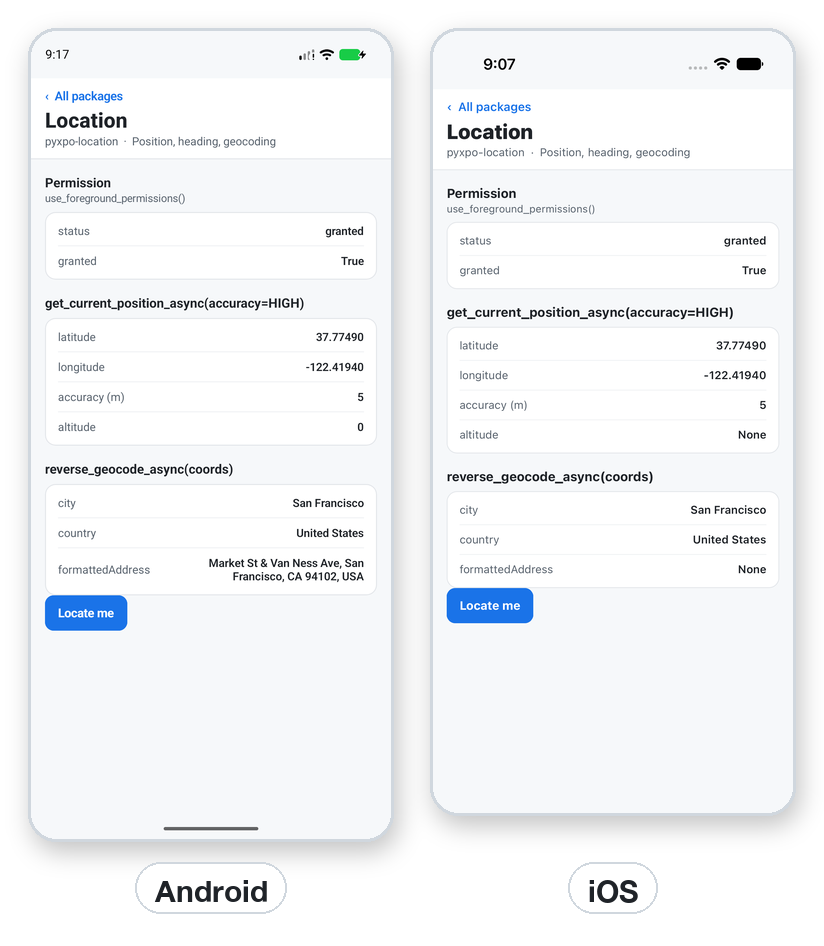
Install
Install the package into the same environment as pyxpo.
Add location to modules in your app config, then import it in your code.
[tool.pyxpo]
modules = ["location"]import pyxpo_location as LocationNeeds Python 3.9+ and pyxpo>=0.1.0a2.
This module has native code. After you add it, run pyxpo run or pyxpo build again so it is compiled into the app. Hot reload alone is not enough.
Platforms
Quick start
import pyxpo_location as Location
from pyxpo import Button, Text, View, component, use_async, use_state


@component
def Here():
    wanted, set_wanted = use_state(0)
    place, set_place = use_state("Not yet")

    async def locate():
        if wanted == 0:
            return
        perm = await Location.request_foreground_permissions_async()
        if not perm["granted"]:
            set_place("Permission denied")
            return
        loc = await Location.get_current_position_async(accuracy=Location.Accuracy.HIGH)
        c = loc["coords"]
        set_place("%.4f, %.4f" % (c["latitude"], c["longitude"]))

    use_async(locate, [wanted])
    return View(Text(place), Button("Locate me", lambda: set_wanted(wanted + 1)))
Configuration
These options set the text iOS shows when it asks the user for access. Each has a default, so you only set the ones you want to change.
| Option | Info.plist key | Default |
|---|---|---|
locationWhenInUsePermission | NSLocationWhenInUseUsageDescription | Use your location. |
locationAlwaysAndWhenInUsePermission | NSLocationAlwaysAndWhenInUseUsageDescription | Use your location, also while the app is in the background. |
[tool.pyxpo.module_options.location]
locationWhenInUsePermission = "Use your location."
locationAlwaysAndWhenInUsePermission = "Use your location, also while the app is in the background."
Permissions
pyxpo adds these to Info.plist and AndroidManifest.xml for you when the module is listed.
| iOS | NSLocationWhenInUseUsageDescription, and NSLocationAlwaysAndWhenInUseUsageDescription for background permission. Set the text with the options above. |
|---|---|
| Android | ACCESS_COARSE_LOCATION and ACCESS_FINE_LOCATION, added by the module; location hardware is marked optional. Background needs ACCESS_BACKGROUND_LOCATION in [tool.pyxpo.android] permissions. |
API reference
Permissions
The response is expo's {"status", "granted", "canAskAgain", "expires"}, plus ios: {"scope"} ("whenInUse", "always", "none") or android: {"accuracy"} ("fine", "coarse", "none"). An Android user can allow only approximate location, so granted can be True with "coarse".
await get_foreground_permissions_async()→ dictReads the permission. Does not ask.
await request_foreground_permissions_async()→ dictAsks if undetermined.
get_background_permissions_async() / request_background_permissions_async()→ dictThe same for background location. Ask for foreground first. Android 11+ sends the user to Settings.
use_foreground_permissions(get=True, request=False)→ (response, request, get)A hook. response is None until read. get=True reads on mount, request=True asks on mount. use_background_permissions(...) is the same.
Position
A location is {"coords": {"latitude", "longitude", "altitude", "accuracy", "altitudeAccuracy", "heading", "speed"}, "timestamp", "mocked"}. Unknown values are None, timestamp is milliseconds since 1970, and mocked is Android only. Every function takes expo's options dict or Python keywords.
await get_current_position_async(options=None, **kw)→ locationA fresh fix. accuracy defaults to BALANCED.
await get_last_known_position_async(options=None, **kw)→ location or NoneThe cached fix. None when there is none, it is older than max_age ms, or less exact than required_accuracy metres.
await watch_position_async(options=None, callback=None, error_handler=None, **kw)→ LocationSubscriptionLive updates tuned by accuracy, time_interval (Android, ms) and distance_interval (metres). Remove it when the screen goes away, or it keeps draining the battery.
Heading
await get_heading_async()→ dict{"trueHeading", "magHeading", "accuracy"} in degrees. trueHeading is -1 until the location is known. Raises without a compass.
await watch_heading_async(callback, error_handler=None)→ LocationSubscriptionThe heading as a stream.
Geocoding
Both need a network. An empty address, or a latitude or longitude that is not a number or out of range, raises ValueError.
await geocode_async(address)→ list[dict][{"latitude", "longitude", "altitude", "accuracy"}].
await reverse_geocode_async(location)→ list[dict]Addresses with name, street, streetNumber, district, city, subregion, region, postalCode, country, isoCountryCode, timezone and formattedAddress.
Provider status
await has_services_enabled_async()→ boolTrue when location services are on. False on the desktop.
await get_provider_status_async()→ dictlocationServicesEnabled, backgroundModeEnabled, and on Android gpsAvailable, networkAvailable, passiveAvailable.
await enable_network_provider_async()→ NoneAndroid: opens the location settings when network location is off.
await is_background_location_available_async()→ boolAlways False for now.
Not supported yet
These need a background task manager, which pyxpo does not have yet. Use watch_position_async while the app is open.
start_location_updates_async, stop_location_updates_async, has_started_location_updates_async→ NotSupportedErrorBackground location updates.
start_geofencing_async, stop_geofencing_async, has_started_geofencing_async→ NotSupportedErrorGeofencing.
Types
Every function also has its expo spelling, such as getCurrentPositionAsync, and options accept expo's keys, such as {"distanceInterval": 10}.
Accuracy (IntEnum, also LocationAccuracy)
| Key | Type | Description |
|---|---|---|
LOWEST | 1 | About 3 km. |
LOW | 2 | About 1 km. |
BALANCED | 3 | About 100 m. The default. |
HIGH | 4 | About 10 m. |
HIGHEST | 5 | The best the device can do. |
BEST_FOR_NAVIGATION | 6 | The best, plus sensor data on iOS. |
Other types
| Key | Type | Description |
|---|---|---|
ActivityType | IntEnum | iOS activity hint: OTHER, AUTOMOTIVE_NAVIGATION, FITNESS, OTHER_NAVIGATION, AIRBORNE. |
PermissionStatus | str enum | GRANTED, DENIED, UNDETERMINED. |
LocationSubscription | class | remove() stops the updates; safe to call twice. |
GeofencingEventType, GeofencingRegionState | IntEnum | For compatibility; unused while geofencing is unsupported. |
Errors
| Key | Type | Description |
|---|---|---|
NotSupportedError | pyxpo.module_api | Web, desktop, or a background or geofencing call. Catch it and show a manual place picker. |
ValueError | bad argument | Bad accuracy, negative max_age, empty address or bad coordinates. |
TypeError | bad callback | The watch callback is not callable. |
native error | Exception | No permission, services off, or no fix in time. Offer a retry. |
ModuleNotLinkedError | pyxpo.module_api | "location" is missing from modules. Add it and rebuild. |
Examples
Watch while the screen is open
Start the watch from use_async and remove it when you are done. The Simulator and emulator use a place you set in their location settings.
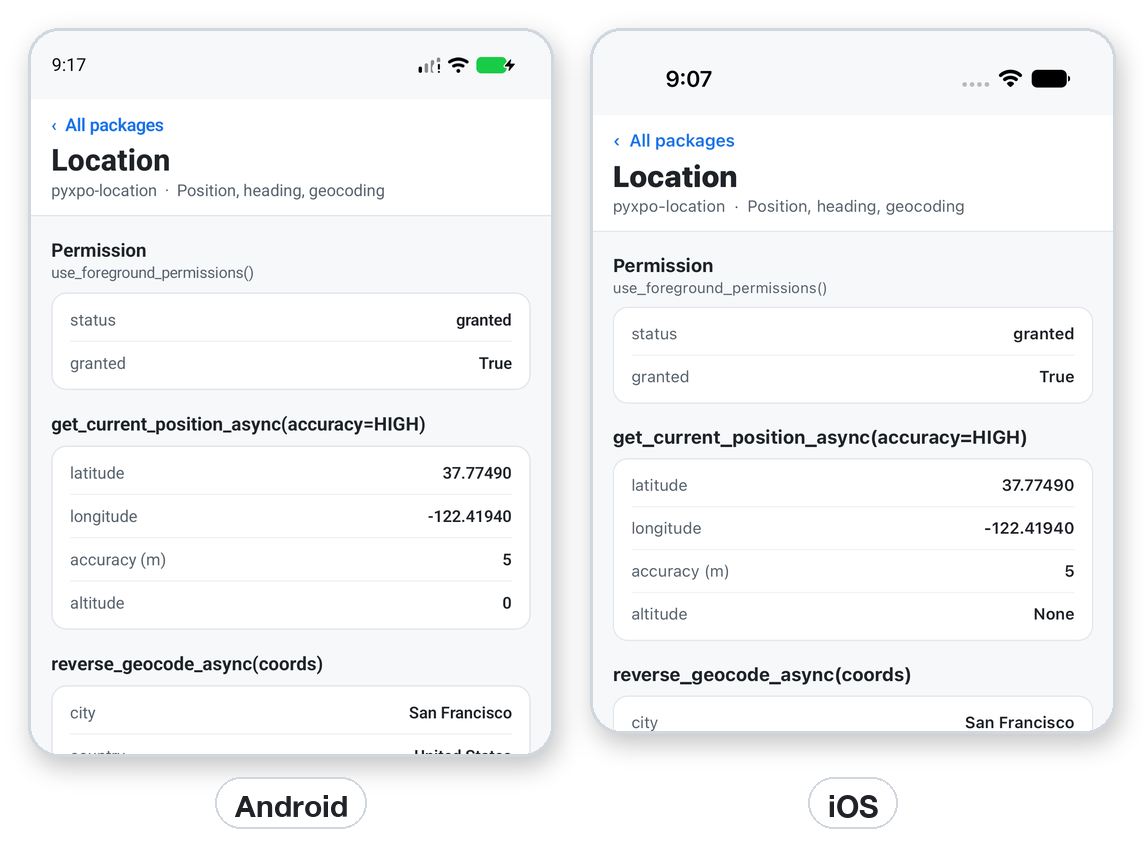
import pyxpo_location as Location


async def follow(on_move):
    sub = await Location.watch_position_async(
        {"accuracy": Location.Accuracy.BALANCED, "distanceInterval": 10},
        lambda loc: on_move(loc["coords"]),
    )
    return sub          # call sub.remove() when the screen goes away
Recipe: find stores near me
Ask once, show the place, and fall back to the last known position when a fresh fix is slow.
import pyxpo_location as Location
from pyxpo import Button, Text, View, component, use_async, use_state


@component
def NearMe():
    tries, set_tries = use_state(1)
    text, set_text = use_state("Looking...")

    async def find():
        perm = await Location.request_foreground_permissions_async()
        if not perm["granted"]:
            set_text("Allow location to see stores near you.")
            return
        try:
            loc = await Location.get_current_position_async(accuracy=Location.Accuracy.BALANCED)
        except Exception:
            loc = await Location.get_last_known_position_async(max_age=10 * 60_000)
        if loc is None:
            set_text("No position yet. Is location on?")
            return
        c = loc["coords"]
        where = await Location.reverse_geocode_async(
            {"latitude": c["latitude"], "longitude": c["longitude"]})
        city = where[0].get("city") if where else None
        set_text("Stores near %s" % (city or "you"))

    use_async(find, [tries])
    return View(Text(text), Button("Try again", lambda: set_tries(tries + 1)))
Testing
Replace the native call on the desktop host. Argument checks need no fake: accuracy=9 raises ValueError before any native call.
import asyncio

import pyxpo_location as Location


def test_current_position(monkeypatch):
    async def fake_call(*args, **kwargs):
        return {"coords": {"latitude": 52.52, "longitude": 13.4, "accuracy": 5}, "timestamp": 0}

    monkeypatch.setattr(Location, "_native", lambda: None)
    monkeypatch.setattr(Location, "call", fake_call)
    loc = asyncio.run(Location.get_current_position_async(accuracy=Location.Accuracy.HIGH))
    assert loc["coords"]["latitude"] == 52.52
Good to know
- Higher accuracy costs more battery. Indoors, lower the accuracy or fall back to get_last_known_position_async.
- If no prompt appears, the permission was denied before and canAskAgain is False. Send the user to Settings.
- For a web build, let the user type an address and use your own geocoding service.
- use_async(fn, deps) runs again when a dependency changes, so a button that starts async work bumps a counter in state.