 pyxpo
pyxpoLocalization
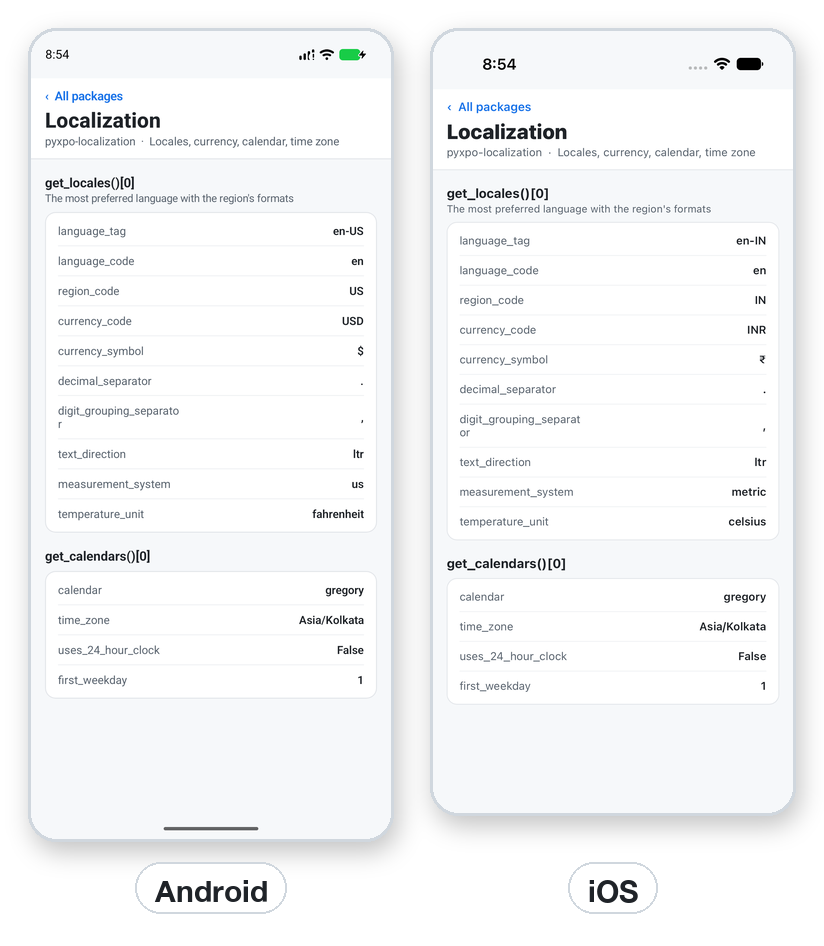
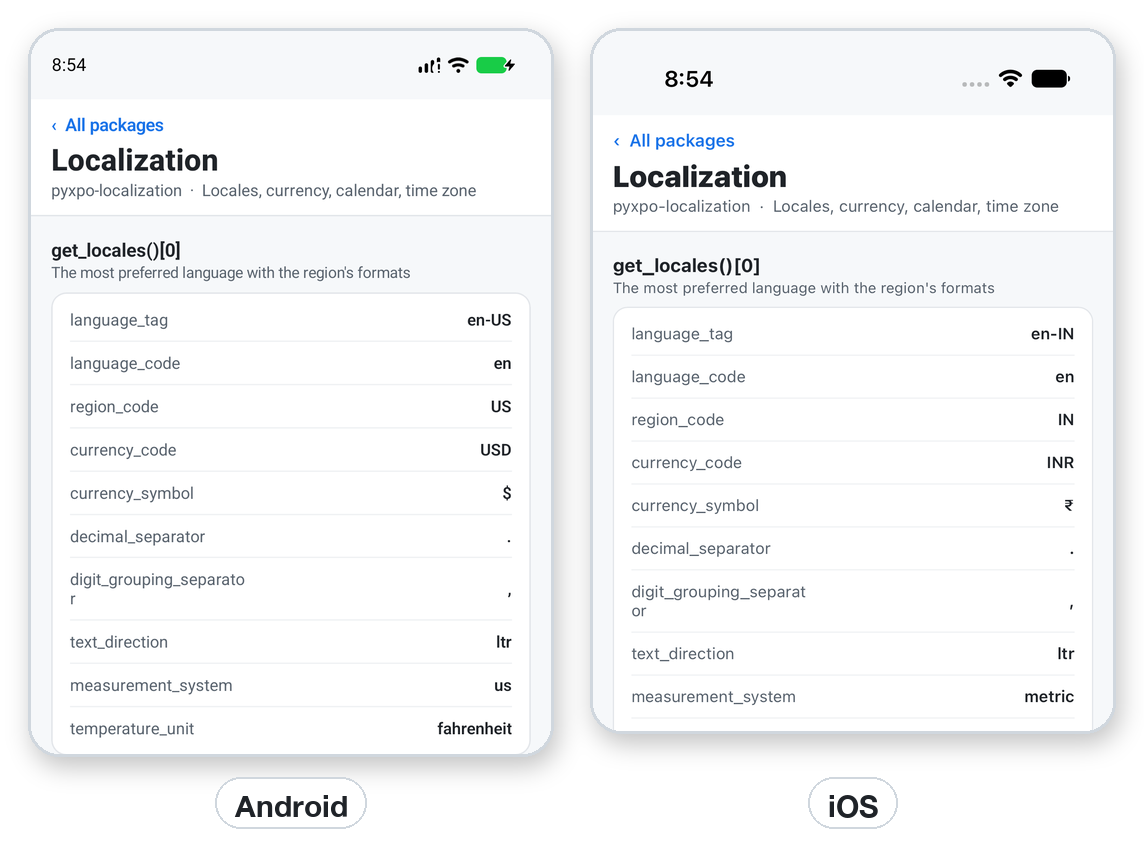
Read the user's preferred languages in order, each with its region, currency, separators, text direction, measurement system and temperature unit, plus the calendar type, IANA time zone, 24 hour clock and first weekday. Both lists always have at least one entry, so [0] is safe. Records are frozen dataclasses with snake_case fields, and Expo's camelCase keys work through locale["languageTag"]. No permissions.
- pyxpo-localization
- v0.1.0a1
- Native: Swift + Kotlin
- Like expo-localization
Install
Install the package into the same environment as pyxpo.
Add localization to modules in your app config, then import it in your code.
[tool.pyxpo]
modules = ["localization"]import pyxpo_localization as LocalizationNeeds Python 3.9+ and pyxpo>=0.1.0a2.
This module has native code. After you add it, run pyxpo run or pyxpo build again so it is compiled into the app. Hot reload alone is not enough.
Platforms
Quick start
import pyxpo_localization as Localization
from pyxpo import Text, View, component


@component
def Settings():
    locale = Localization.use_locales()[0]
    cal = Localization.use_calendars()[0]
    return View(
        Text("Language: %s" % locale.language_tag),
        Text("Region: %s" % (locale.region_code or "unknown")),
        Text("Currency: %s %s" % (locale.currency_code or "?", locale.currency_symbol or "")),
        Text("Time zone: %s" % (cal.time_zone or "unknown")),
        Text("Clock: %s" % ("24 hour" if cal.uses_24_hour_clock else "12 hour")),
    )
Permissions
pyxpo adds these to Info.plist and AndroidManifest.xml for you when the module is listed.
| iOS | None. |
|---|---|
| Android | None. |
API reference
Functions
The values are read once when the app starts. If the user changes the language in Settings, the app sees it after a restart. Do not poll for a change.
get_locales()→ list[Locale]The preferred languages, most preferred first. Never empty.
get_calendars()→ list[Calendar]The user's calendar settings. Never empty.
use_locales()→ list[Locale]The same list, for a component.
use_calendars()→ list[Calendar]The same list, for a component.
Types
Both records are frozen dataclasses with to_dict() and camelCase item access, such as locale["languageTag"]. The camelCase key for the clock flag is uses24hourClock. Every function also has its expo spelling, such as Localization.getLocales.
Locale
| Key | Type | Description |
|---|---|---|
language_tag | str | BCP 47 tag, for example "en-IN". Always set. |
language_code | str or None | For example "en". |
language_script_code | str or None | For example "Hant". None when the tag has no script. |
region_code | str or None | The region setting on iOS, the locale's region on Android. |
language_region_code | str or None | The region inside the language tag. |
currency_code, currency_symbol | str or None | For example "INR" and "₹". On iOS from the region setting. |
language_currency_code, language_currency_symbol | str or None | From the region of the language tag. |
decimal_separator | str or None | For example ".". |
digit_grouping_separator | str or None | For example ",". |
text_direction | str or None | "ltr" or "rtl". |
measurement_system | str or None | "metric", "us" or "uk". |
temperature_unit | str or None | "celsius" or "fahrenheit". |
Calendar
| Key | Type | Description |
|---|---|---|
calendar | str or None | CLDR name such as "gregory", as in JavaScript Intl. |
time_zone | str or None | IANA id such as "Asia/Kolkata". |
uses_24_hour_clock | bool or None | None on the desktop. |
first_weekday | int or None | 1 is Sunday, 7 is Saturday, as in expo-localization. |
Errors
| Key | Type | Description |
|---|---|---|
ModuleNotLinkedError | pyxpo.module_api | "localization" is missing from modules. Add it and rebuild. |
KeyError | locale["x"] | A key that is not an Expo field name. |
Examples
Pick a translation
Use the first locale for formatting and the whole list to choose a translation you have.
import pyxpo_localization as Localization

SUPPORTED = {"en", "hi", "de"}


def pick_language() -> str:
    locales = Localization.get_locales()
    return next((l.language_code for l in locales if l.language_code in SUPPORTED), "en")


def is_rtl() -> bool:
    return Localization.get_locales()[0].text_direction == "rtl"
Recipe: a price and a time in the user's style
This groups digits in threes. A region that groups differently, such as 12,34,567 in India, needs a number formatting library on top.
from datetime import datetime

import pyxpo_localization as Localization


def format_price(amount: float) -> str:
    locale = Localization.get_locales()[0]
    dec = locale.decimal_separator or "."
    grp = locale.digit_grouping_separator or ","
    whole, frac = ("%.2f" % amount).split(".")
    groups = []
    while len(whole) > 3:
        groups.insert(0, whole[-3:])
        whole = whole[:-3]
    groups.insert(0, whole)
    return "%s%s%s%s" % (locale.currency_symbol or "", grp.join(groups), dec, frac)


def format_time(moment: datetime) -> str:
    cal = Localization.get_calendars()[0]
    return moment.strftime("%H:%M") if cal.uses_24_hour_clock else moment.strftime("%I:%M %p")
Testing
Patch the getter, or build the records yourself. On the desktop test host, monkeypatch.setenv("LANG", "de_DE.UTF-8") also works.
import pyxpo_localization as Localization


def test_price_uses_the_user_symbol(monkeypatch):
    fake = Localization.Locale(language_tag="de-DE", currency_symbol="€",
                               decimal_separator=",", digit_grouping_separator=".")
    monkeypatch.setattr(Localization, "get_locales", lambda: [fake])
    assert Localization.get_locales()[0].currency_symbol == "€"
Good to know
- No module options and no config plugin. The only setup is the modules entry.
- These are the user's formats, not a currency conversion. The module does not know prices.
- region_code and the language region can differ: the region setting and the language are separate settings.
- On the desktop, en_US.UTF-8 in LANG becomes en-US, an unset or C locale gives en-US, and the time zone comes from TZ or /etc/localtime.
- It does not translate text. Keep your own translation tables.