 pyxpo
pyxpoApplication
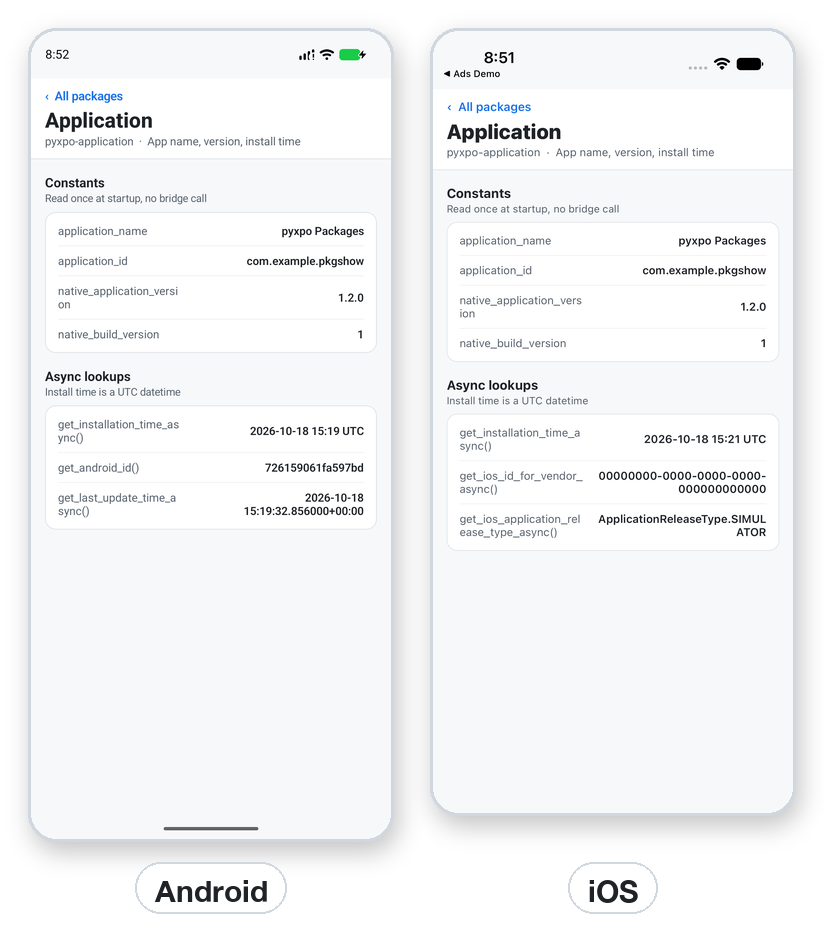
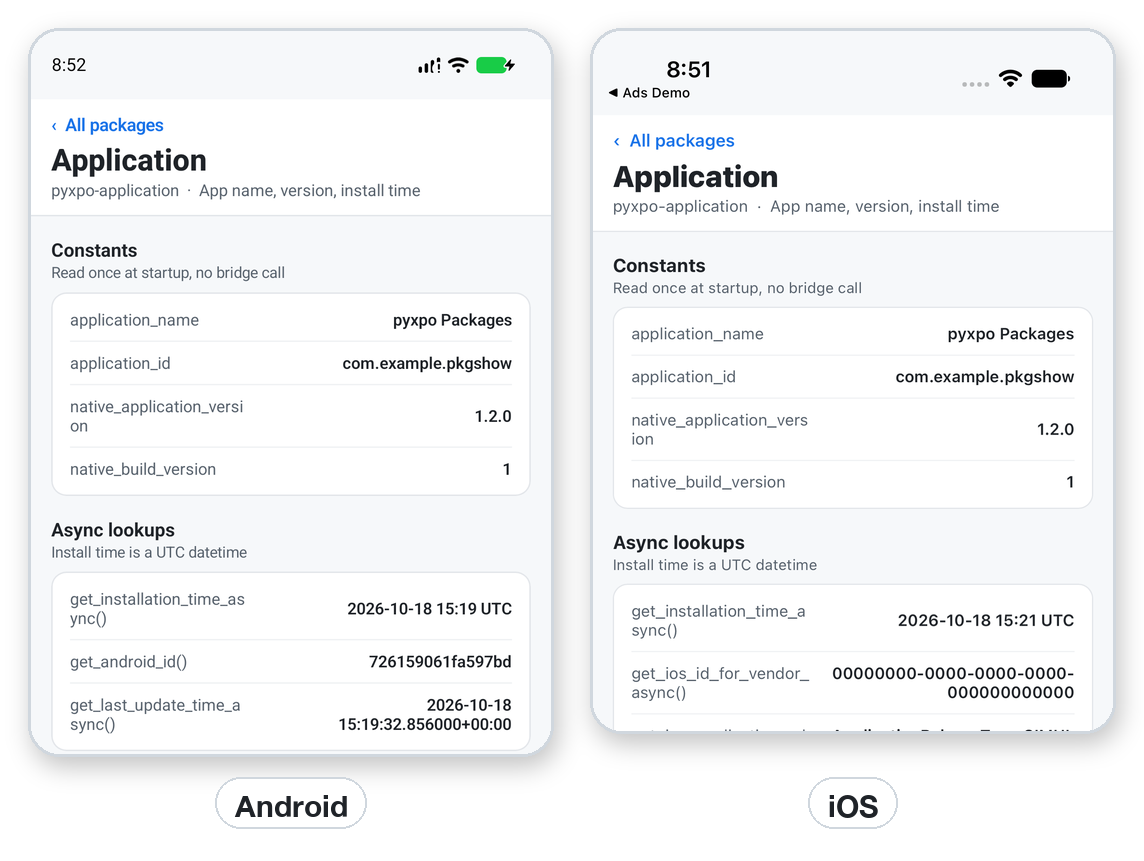
Read the installed app's identity: name, bundle or package id, version and build number as plain constants, the install and update time as UTC datetimes, the Android id and Play install referrer, and on iOS the vendor id, how the build was signed and the push environment. A call that does not exist on this platform raises NotSupportedError instead of returning a made-up value. Nothing here needs a permission.
- pyxpo-application
- v0.1.0a1
- Native: Swift + Kotlin
- Like expo-application
Install
Install the package into the same environment as pyxpo.
Add application to modules in your app config, then import it in your code.
[tool.pyxpo]
modules = ["application"]import pyxpo_application as ApplicationNeeds Python 3.9+ and pyxpo>=0.1.0a2.
This module has native code. After you add it, run pyxpo run or pyxpo build again so it is compiled into the app. Hot reload alone is not enough.
Platforms
Quick start
import pyxpo_application as Application
from pyxpo import Platform, Text, View, component, use_async


@component
def About():
    async def load():
        info = {"installed": await Application.get_installation_time_async()}
        if Platform.OS == "android":
            info["updated"] = await Application.get_last_update_time_async()
        return info

    info = use_async(load, [])           # (loading, value, error)
    return View(
        Text("%s %s (%s)" % (Application.application_name,
                             Application.native_application_version,
                             Application.native_build_version)),
        Text(Application.application_id),
        Text("Installed %s" % (info.value["installed"].date() if info.value else "...")),
    )
Permissions
pyxpo adds these to Info.plist and AndroidManifest.xml for you when the module is listed.
| iOS | None. |
|---|---|
| Android | None. |
API reference
Constants
Read from Info.plist (iOS) and PackageInfo (Android). They resolve when you read them, so read them inside a component or function, not into module-level variables at import. None on the desktop and web.
application_name→ str or NoneCFBundleDisplayName or CFBundleName; the Android app label.
application_id→ str or NoneThe bundle identifier or package name.
native_application_version→ str or NoneCFBundleShortVersionString or versionName.
native_build_version→ str or NoneCFBundleVersion or versionCode, as a string on both platforms.
Install and update time
await get_installation_time_async()→ datetime (UTC)iOS: creation time of the Documents folder, so a reinstall gives a new date. Android: firstInstallTime.
await get_last_update_time_async()→ datetime (UTC)Android only: lastUpdateTime.
Platform ids
These ids are not secret and not stable forever. Do not use them as a login.
get_android_id()→ strAndroid. Settings.Secure.ANDROID_ID: unique per signing key, user and device; changes on factory reset. Synchronous.
await get_install_referrer_async()→ strAndroid. The Google Play install referrer. Raises RuntimeError where the Play Store is missing.
await get_ios_id_for_vendor_async()→ str or NoneiOS. identifierForVendor. None right after a restart, before the first unlock.
iOS build
await get_ios_application_release_type_async()→ ApplicationReleaseTypeRead from the embedded provisioning profile.
await get_ios_push_notification_service_environment_async()→ str or NoneThe aps-environment entitlement: "development", "production" or None.
Types
Every name also has its expo-application spelling, such as Application.applicationId and Application.getInstallationTimeAsync.
ApplicationReleaseType (IntEnum)
| Key | Type | Description |
|---|---|---|
UNKNOWN | 0 | The profile could not be read. |
SIMULATOR | 1 | Running in the iOS Simulator. |
ENTERPRISE | 2 | Enterprise distribution. |
DEVELOPMENT | 3 | A development profile (run from Xcode). |
AD_HOC | 4 | An ad hoc profile. |
APP_STORE | 5 | The App Store or TestFlight. |
Errors
| Key | Type | Description |
|---|---|---|
NotSupportedError | pyxpo.module_api | The call does not exist on this platform. Guard with Platform.OS. |
ModuleNotLinkedError | pyxpo.module_api | "application" is missing from modules. Add it and rebuild. |
RuntimeError | install referrer | No Play Store on the device. Treat the referrer as unknown. |
Examples
Store build or test build
Tell a TestFlight or App Store build from a development build on iOS.
import pyxpo_application as Application


async def is_store_build():
    kind = await Application.get_ios_application_release_type_async()
    return kind == Application.ApplicationReleaseType.APP_STORE
Recipe: About screen with an update check
Show the version, and say "Updated recently" when Android installed a new build in the last week.
from datetime import datetime, timedelta, timezone

import pyxpo_application as Application
from pyxpo import Platform, Text, View, component, use_async


async def recently_updated() -> bool:
    if Platform.OS != "android":
        return False
    updated = await Application.get_last_update_time_async()
    return datetime.now(timezone.utc) - updated < timedelta(days=7)


@component
def AboutScreen():
    fresh = use_async(recently_updated, [])
    return View(
        Text(Application.application_name or "My app"),
        Text("Version %s (%s)" % (Application.native_application_version or "dev",
                                  Application.native_build_version or "0")),
        Text("Updated recently") if fresh.value else None,
    )
Testing
Patch the constant reader in a unit test.
import pyxpo_application as Application


def test_about_text(monkeypatch):
    fake = {"applicationName": "Demo", "nativeApplicationVersion": "2.0.0"}
    monkeypatch.setattr(Application, "_const", lambda name: fake.get(name))
    assert Application.application_name == "Demo"
Good to know
- No module options and no config plugin. On Android the module adds the com.android.installreferrer library.
- The version and build you set for the app are written into Info.plist and the Android manifest at build time; this module reads them back.
- native_build_version is a string on both platforms. Use int(...) for a number.
- In the iOS Simulator the release type is SIMULATOR and the push environment is None.
- Write UI code so a None version shows a placeholder, for example Application.native_application_version or "dev".