 pyxpo
pyxpoHaptics
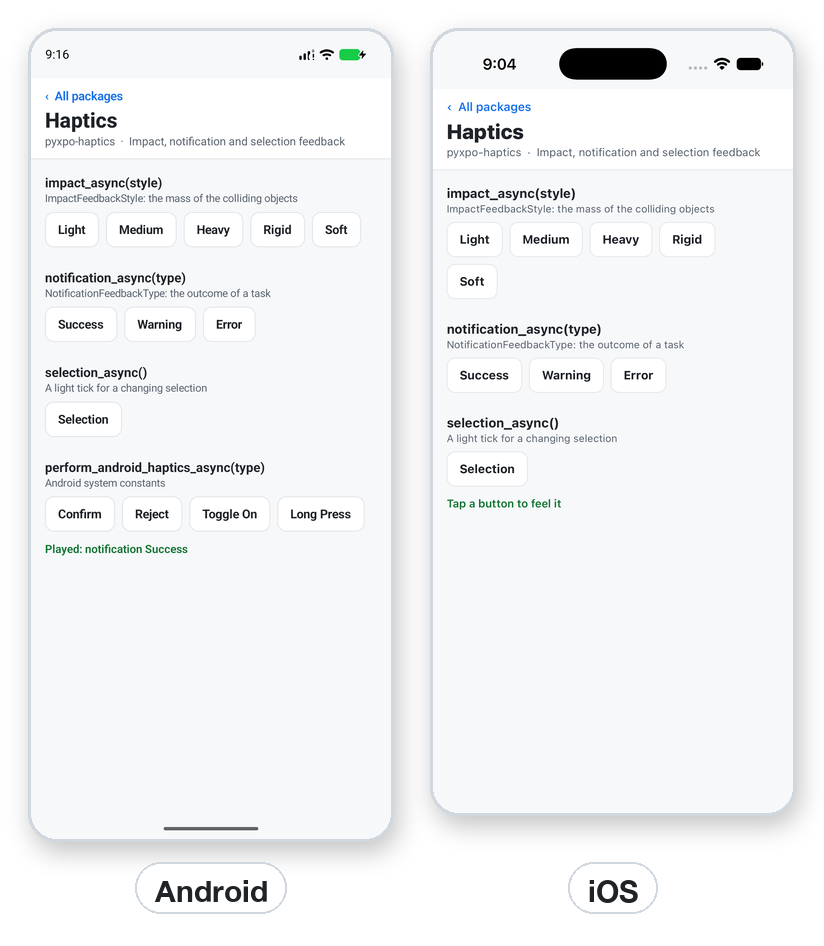
Play feedback the user can feel: an impact in five weights, a success, warning or error buzz, a light tick for a changing value, and on Android the system haptic constants such as Confirm and Long_Press. Enum members and their strings both work, and a wrong value raises ValueError with the valid ones. On the web and the desktop every call returns without doing anything, so shared code needs no guard.
- pyxpo-haptics
- v0.1.0a1
- Native: Swift + Kotlin
- Like expo-haptics
Install
Install the package into the same environment as pyxpo.
Add haptics to modules in your app config, then import it in your code.
[tool.pyxpo]
modules = ["haptics"]import pyxpo_haptics as HapticsNeeds Python 3.9+ and pyxpo>=0.1.0a2.
This module has native code. After you add it, run pyxpo run or pyxpo build again so it is compiled into the app. Hot reload alone is not enough.
Platforms
Quick start
import pyxpo_haptics as Haptics
from pyxpo import Pressable, Text, View, component, use_state


@component
def Counter():
    count, set_count = use_state(0)

    async def tap():
        await Haptics.impact_async(Haptics.ImpactFeedbackStyle.Light)
        set_count(count + 1)

    return View(
        Text("Taps: %d" % count),
        Pressable(Text("Tap"), on_press=tap),
    )
Permissions
pyxpo adds these to Info.plist and AndroidManifest.xml for you when the module is listed.
| iOS | None. |
|---|---|
| Android | VIBRATE, added to the manifest by the module. It is a normal permission, so there is no prompt. |
API reference
Feedback kinds
On iOS these map to UIImpactFeedbackGenerator, UINotificationFeedbackGenerator and UISelectionFeedbackGenerator. On Android they are short vibration patterns pyxpo chose to feel close to iOS.
await impact_async(style=ImpactFeedbackStyle.Medium)→ NoneA tap or a collision. Heavy is a thud, Rigid a sharp click, Soft a cushioned one.
await notification_async(type=NotificationFeedbackType.Success)→ NoneThe outcome of a task: a saved form, a risky action, a failed login.
await selection_async()→ NoneA value changing under the finger: a picker wheel, a slider step, a segmented control.
Android system haptics
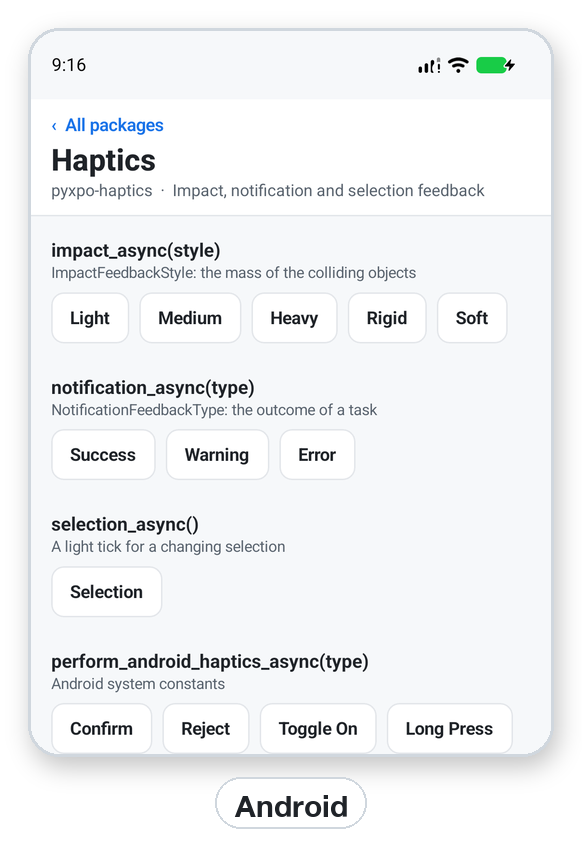
Plays a constant of the Android view system. It follows the user's touch feedback setting and needs no permission. On iOS and the desktop it does nothing.
await perform_android_haptics_async(type)→ Nonetype is an AndroidHaptics member or its string, such as "long-press". A constant your Android version does not have falls back to a close older one.
Types
All three are str enums, so "heavy" equals ImpactFeedbackStyle.Heavy. Every function also has its expo spelling, such as Haptics.impactAsync.
ImpactFeedbackStyle
| Key | Type | Description |
|---|---|---|
Light | "light" | A small, light tap. |
Medium | "medium" | The default. |
Heavy | "heavy" | A thud. |
Rigid | "rigid" | A sharp click. |
Soft | "soft" | A cushioned tap. |
NotificationFeedbackType
| Key | Type | Description |
|---|---|---|
Success | "success" | The default. A task finished. |
Warning | "warning" | A risky action. |
Error | "error" | A task failed. |
AndroidHaptics: needs and fallbacks
| Key | Type | Description |
|---|---|---|
Confirm, Gesture_Start, Gesture_End | Android 11 | Falls back to Virtual_Key. |
Reject | Android 11 | Falls back to Long_Press. |
Toggle_On, Toggle_Off | Android 14 | Falls back to Virtual_Key. |
Drag_Start | Android 14 | Falls back to Long_Press. |
Keyboard_Press, Text_Handle_Move | Android 8.1 | Fall back to Keyboard_Tap and Clock_Tick. |
Keyboard_Release, Virtual_Key_Release | Android 8.1 | Nothing plays on older versions. |
Segment_Tick, Segment_Frequent_Tick | Android 14 | Falls back to Clock_Tick. |
No_Haptics | Android 14 | Nothing plays on older versions. |
Clock_Tick, Context_Click, Keyboard_Tap, Long_Press, Virtual_Key | any | Always available. |
Errors
| Key | Type | Description |
|---|---|---|
ValueError | bad value | A style, type or Android constant that does not exist. The message lists the valid ones. |
ModuleNotLinkedError | pyxpo.module_api | "haptics" is missing from modules. Add it and rebuild. |
Examples
Android system constants
Enum members and strings both work. On older Android versions a fallback plays.
import pyxpo_haptics as Haptics


async def confirm():
    await Haptics.perform_android_haptics_async(Haptics.AndroidHaptics.Confirm)
    await Haptics.perform_android_haptics_async("long-press")
Recipe: feedback on a form
A tick when the user changes a choice, a success buzz on save and an error buzz on a failed save.
import pyxpo_haptics as Haptics
from pyxpo import Pressable, Text, View, component, use_state


async def save_to_server(plan: str) -> None:
    ...


@component
def PlanForm():
    plan, set_plan = use_state("free")
    status, set_status = use_state("")

    async def choose(name):
        await Haptics.selection_async()
        set_plan(name)

    async def save():
        try:
            await save_to_server(plan)
        except Exception:
            await Haptics.notification_async(Haptics.NotificationFeedbackType.Error)
            set_status("Could not save")
        else:
            await Haptics.notification_async(Haptics.NotificationFeedbackType.Success)
            set_status("Saved")

    return View(
        Pressable(Text("Free"), on_press=lambda: choose("free")),
        Pressable(Text("Pro"), on_press=lambda: choose("pro")),
        Pressable(Text("Save"), on_press=save),
        Text(status),
    )
Testing
Unit tests run on the desktop host, where every call does nothing. Replace the function with a fake to check what your code asks for.
import pyxpo_haptics as Haptics


def test_save_buzzes_success(monkeypatch):
    calls = []

    async def fake(type=Haptics.NotificationFeedbackType.Success):
        calls.append(type)

    monkeypatch.setattr(Haptics, "notification_async", fake)
    # run the code under test, then:
    # assert calls == [Haptics.NotificationFeedbackType.Success]
Good to know
- No module options and no config plugin. The only setup is the modules entry.
- Call the haptic in the press handler, with the state change, so the buzz lands with the touch.
- The iOS Simulator has no Taptic Engine and the Android emulator has no motor. Test the feeling on a real phone.
- Nothing is felt on an iPhone when System Haptics is off or Low Power Mode is on, or on Android when touch feedback is off.
- Haptics are a nicety, not the only signal. An action should also show text or a color change.